On galactic structure
Last changed on
This post is not: a scientific essay as I am not qualified for it. This post is: a try to explain how the overall structural generation of a galaxy is handled, and how, down to a certain level of detail, it affects its overall appearance.
Of course, the end goal of such a generation is to obtain something that doesn't look like a cactus or a pigeon, but more like a flat saucer kind of cloud similar to the ones we all love to gaze at in sci-fi flicks or on real images taken by Hubble, JWST and the like.
Cubes were mentioned in this post, but I thought I would try and explain them in a litte more detail.
Cubes
Cubes are, in a very real way, the building blocks of a galaxy:
- as visual density helpers: when viewing a galaxy from a 2D or 3D perspective, i.e., to get an overall feeling of the shape of its arms, the importance and bulge of its central core, etc.
- as actual density determinants: when navigating the galaxy itself, such as in the data explorer, but also later when the 3D navigation is made available. Edit, the 3D explorer is now available :-)
A cube, once generated, has the following basic characteristics:
- size: an arbitrary side length expressed in light years. Note this value has to be identical for all cubes in the galaxy
- coordinates: x, y and z
- density: an arbitrary but reasonable number, that expresses the number of systems (and so stars) in that cube. Simples.
For example, a cube of size 10, at coordinates [10,23,-4] and a density of 7 tells us that there are 7 systems in the 3D space delimited by the following bounds expressed in light years: x[100,110], y[230,240], z[-40,-30].
Density maps
Picture time! From left to right, a few possible 2D density maps for the same galaxy, taken at resolutions of 10, 30, 100 and 1000, respectively.


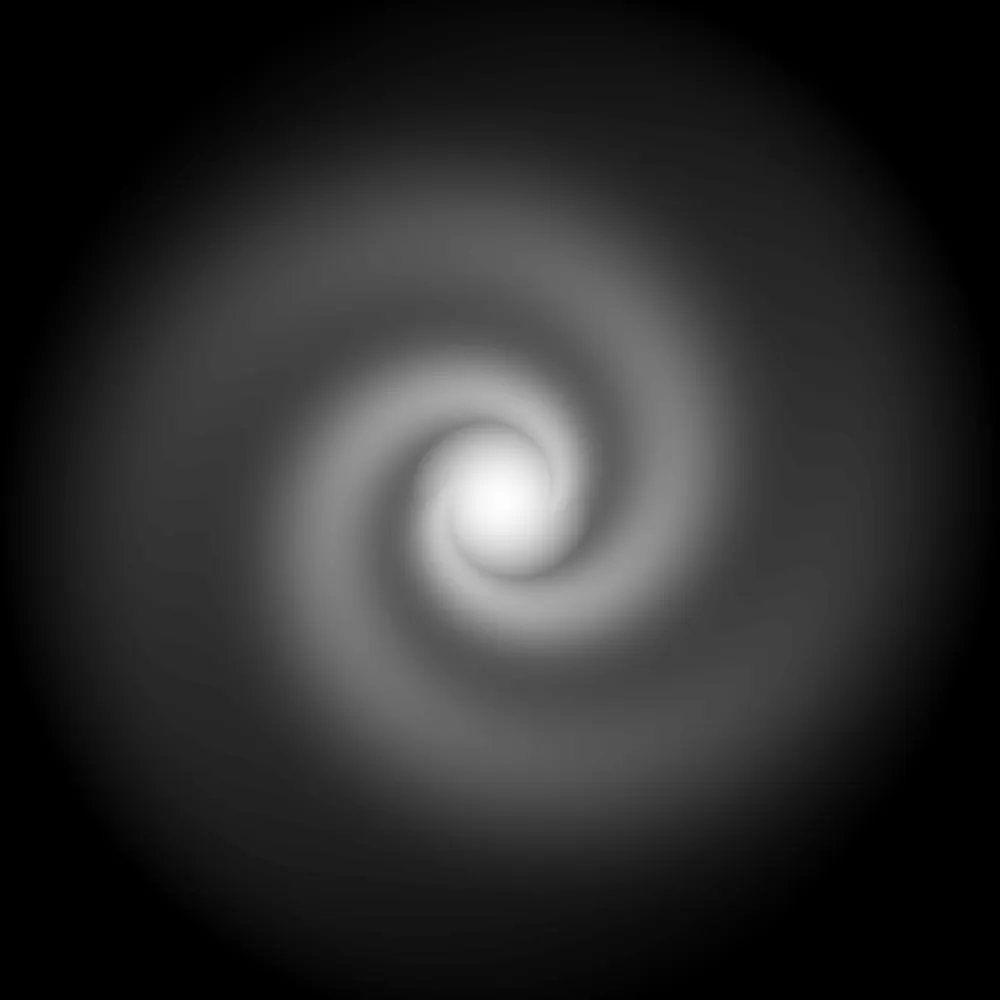
As the galaxy is 100,000 light years across, the cubes (and hence pixels) in each density map are:
- 100,000/10: 10,000 light years on a side
- 100,000/30: ~3,333 light years on a side
- 100,000/100: 1,000 light years on a side
- 100,000/1000: 100 light years on a side
We could go on up until the point a n:1 ratio is reached, where n is the actual cube_size defined for the galaxy.
Whichever the final result, and the used resolution, the white level of each pixels tells us how dense a cube is:
- If it is full white, the cube has the maximum density as defined by the galaxy
- If it is full black, the cube has a density of zero
- Any grey value in between white and black represents a rounded density
About the renderings
Of course the first rendering looks like one of those early deep field real-life images or a 10-billion light year distant galactic smudge, due to its crap resolution. However, as the resolution increases, more details start to emerge and the last rendering looks reasonably fine.
If we cranked up the resolution to 10:1, and assuming the cube size was defined as 10 at galaxy level, we would end with a 10,000 by 10,000 pixels image. A 100M pixels image.
Generation times
Cranking up that resolution might feel nice at first. But rendering times go up exponentially quadratically and real time generations of a couple seconds are a big no-no.
It would make sense to cache a galaxy's high-resolution rendering for later use, though. To think about.
From 2D to 3D
Yeah but this is two-dimensional, where's the 3D?
, I hear you think. Well, to solve this a (over?) simple calculation is used:
- Assume the computed 2D density is at Z-coordinate 0
- As the absolute value of the cube's Z coordinate increases, decrease the density, very slowly at first, with an abrupt transition to nothing once we reach half the galactic "height". The density also decreases faster the further out the cube is from the galactic center (x, y coordinates).
Note: the engine does not work with images internally, of course. Just with floats, ending up as Vec<u8>, where each item is a density at x, y, z coordinates. As it turns out, a u8matches exactly the RGBA color scheme - convenient for those grey levels!
Final data structure
The engine finally spits out a one-dimensional list of u8s representing 3D densities. Something quite boring like this (at resolution 10):
[0, 0, 0, 0, 0, 0, 0, 0, 0, 0, 0, 0, 0, 0, 0, 0, 0, 0, 0, 0, 0, 0, 0, 0, 0, 0, 0, 0, 0, 0, 0, 0, 0, 0, 0, 0, 0, 0, 0, 0, 0, 0, 0, 0, 0, 0, 0, 0, 0, 0, 0, 0, 0, 0, 0, 0, 0, 0, 0, 0, 0, 0, 0, 0, 0, 0, 0, 0, 8, 9, <snip>, 40, 35, 24, 0, 22, 32, 36, 37, 37, 37, 36, 32, 22, 0, 29, 43, 48, 50, 50, 50, 48, 43, 29, 0, 34, 51, 57, 58, 58, 58, 57, 51, 34, 0, 16, 24, 27, 28, 28, 28, 27, 24, 16, 0, 16, 24, 27, 27, 27, 27, 27, 24, 16, 0, 5, 7, 8, 8, 8, 8, 8, 7, 5, 0, 2, 3, 3, 3, 3, 3, 3, 3, 2, 0, 6, 8, 9, 10, 10, 10, 9, 8, 6, 0, 17, 25, 28, 29, 29, 29, 28, 25, 17, 0, 18, 26, 30, 30, 30, 30, 30, 26, 18, 0, 35, 52, 58, 59, 60, 59, 58, 52, 35, 0, 59, 87, 97, 99, 100, 99, 97, 87, 59, 0, 35, 52, 58, 59, 60, 59, 58, 52, 35, 0, 18, 26, 30, 30, 30, 30, 30, 26, 18, 0, 17, 25, 28, 29, 29, 29, 28, 25, 17, 0, 6, 8, 9, 10, 10, 10, 9, 8, 6, 0, 1, 2, 2, 2, 2, 2, 2, 2, 1, 0, 5, 7, 8, 8, 8, 8, 8, 7, 5, 40, 41, 41, 41, 40, 35, 24, 0, 13, 19, 21, 22, 22, 22, 21, 19, 13, 0, <snip>, 0, 9, 14, 16, 16, 16, 16, 16, 14, 9, 0, 8, 13, 14, 15, 15, 15, 14, 13, 8, 0, 6, 8, 9, 10, 10, 10, 9, 8, 6, 0, 1, 2, 2, 2, 2, 2, 2, 2, 1, 0, 0, 0, 0, 0, 0, 0, 0, 0, 0] …where that lone 100 at the middle is probaby cube[0,0,0].
Real time generation and useful cubes
When navigating a galaxy like in the data explorer, we are of course not using a density map. Within such a navigation context, cubes are always set to the actual galactic data value; in most cases this will be 10LY on a side. The choice of 10 is obvious: it is incredibly convenient for math operations - but also very intuitive to convert into values humans can understand: times ten and you're done.
The data explorer allows to navigate one cube at a time. The upcoming 3D navigation client (browser-based) will allow a far more immersive navigation:
- View several cubes at a time, up to a distance determined by the client and the server
- As visualised cubes get more distant, their level of detail decreases; so: even though a cube is far away, you can still visually perceive the presence of stars in it!
A future post will cover this 3D navigation.
Some notes on universe-level structure
If we zoom out and look at the universe, one major data is missing: where are the galaxies located? It turns out I do plan on introducing this level at some point in the future - it should not be difficult:
- Assign new fields to galaxies:
x,yandz, expressed asf64s. - Each one of these coordinates is to be multiplied by an arbritrary number to get final values in light years, let's says 1 billion or 1 million.
- And you obtain the light-year coordinates of the center of a galaxy
Several thoughts/better ideas:
f64::MAXis set to around 1.7976931348623157E+308. Now even though this is mind-breakingly large number, it is not infinite. That should be ok though. Even af32would be plenty -- not to mention we don't really care about precision at such a high level: the final number is likely to be rounded anyway.- so just go with
i64? +/-9.223.372.036.854.775.807 is plenty to go with, especially when you know the number represents light-years. - galactic coordinates can obviously be manually assigned. But what about clusters? Super clusters? How to code cosmic filaments? What are the rules for them?
More details about entities will be covered in future related posts. The first one is an introduction about entities found below the cube level.
Please signin to add your comment.