3D explorer: satellites information
Last changed on
The 3D explorer can now display systems, satellites, belts and orbits!
As of , planets are now properly positioned along their respective orbits; before they were aligned, all using an angular position of zero radians.
Update from : stars and satellites are now highlighted via overlays, whose display and/or apparance changes depending on distance from the relevant object(s):
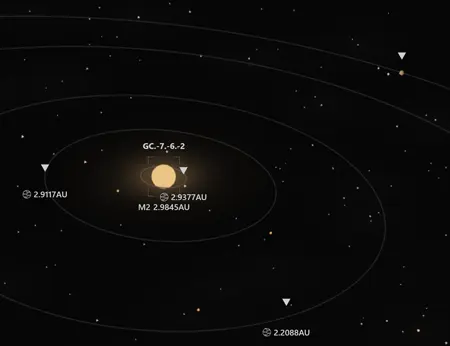
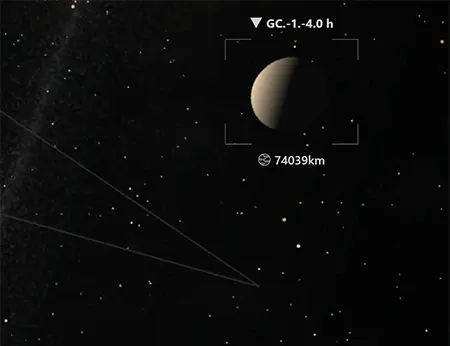
TLDR
Let's start with what I hope you will find to be pretty pictures:
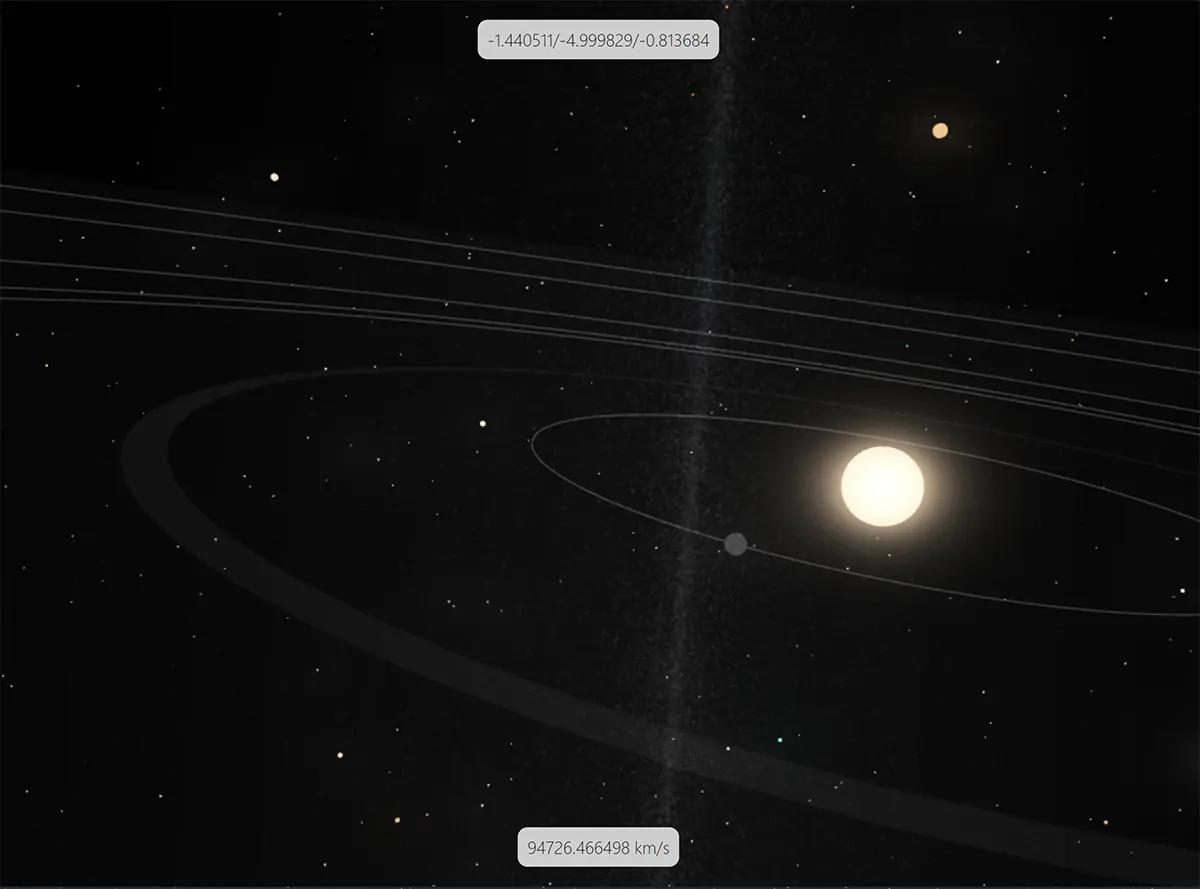
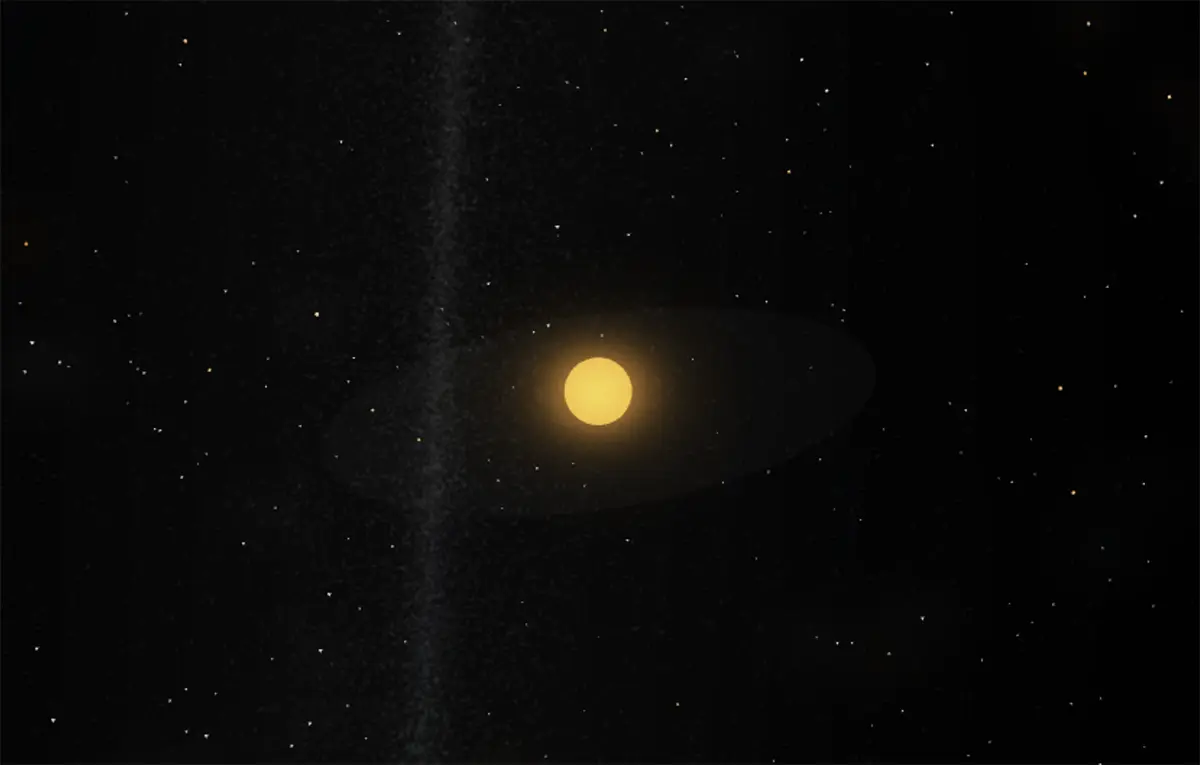
A few comments:
- The flat transculent grey disc around each star represents its ecliptic - in other words its "main orbital plane".
- Thin grey lines are planet orbits
- "Wide" translucent and flat grey surfaces are asteroid belts.
- Individual planets are, as of today, rendered only with a simple grey icosphere. More on this below.
- Planets and asteroid belts are clickable/pickable and, when clicked, will display information 100% equivalent to what can be found in the data explorer
- The (very lazily
designedtop box) indicates real time[x, y, z]galactic coordinates, in light years - The one at the bottom looks just as good and indicates the galactic speed limit imposed to the point of view (more on this below). The speed is expressed either as a multiple of C or, when low enough, as kilometres per second. This is extremely buggy at the moment.
The changes that were necessary to obtain this result are not as simple as they may seem, though: the 3D explorer had to be subjected to several improvements and tweaks, none of them obvious. Read on if you are interested.
LOD spheres
If you previously read this previous post and this one too, you will remember the principle of LOD spheres following the camera point of view.
This previous version of the LOD-related part of the engine handled two distinct levels: LOD_STAR and LOD_SYSTEM. Respectively, these two levels allowed to handle two different visual LOD levels based on two data LOD levels/depths. See this post for more details about why and how this two-layer separation was introduced.
It was working not too badly… until data streaming was (still) causing some client-side lags:
- one similar to the one encountered before, i.e., related to the too frequent rebuilding of the SPS meshes, in fact as soon as you moved to a different cube; I will not dwell on this problem in this post;
- one related to the generic principle of dynamic scaling based on proximity.
Dynamic proximity scaling
As written before, Ad Lumens tries to render everything, from the huge to the small. Object that are far away are rendered both with little data and a low visual level of detail. As you get closer to them, data is streamed to enrich them with extra bits of information that will allow the client to draw them more accurately/more appealingly.
Combine the above with huge distances (which are respected in the 3D explorer) and you end up with a problem: if faraway objects are rendered at their real sizes (say, 700,000 kilometre radius for a star), then they will become completely invisible at a distance of even half a light year!
The solution to this problem can be solved in at least two different ways:
- shaders: probably the most elegant solution, but I haven't found a solution yet. Why more elegant? Because shaders would allow the "glow" of a star to let it be visible at even huge distances, pretty much like in the real sky;
- dynamic scaling: all objects are rendered at a size that is determined by their distance to the camera. This is currently the selected solution.
The following table details the potential dynamic scaling values:
| Scaling | Value | Explanation |
|---|---|---|
| Real | The real size in client-side units | This is used to display an object that is at a distance of zero |
| Strategic | The "larger" size multiplier | This is a multiplie applied to the real size, making the object far bigger. By default, this multiplier is applied to objects more distant than one light year from the camera. Due to its logarithmic nature, it results in size differences to be reduced |
| Display | Linear interpolation between real and strategic scalings | As the camera moves around, the scaling for objects is dynamically computed and applied to meshes. Your client is probably using this value 99.99% percent of the time for relatively close by objects |
By "size in client units" is meant a value that tells: how many metres are in a client-side unit. This multiplier is multiplied by an object's dimension in metres to obtain its size in client-side units.
The problem with only two LOD spheres
In the previous version (one that only made it to local, because it was incredibly slow), the following happened at each frame:
- The client would loop on systems at
LOD_STARlevel of detail (sometimes several thousand of them…) - At each iteration, it would calculate the distance of the particle to the camera (not as easy as it sounds because the camera being floating, the client had to perform a relatively expensive matrix multiplication)
- When and if a particle was close enough, it would alter its scaling, doing the linear interpolation on the fly
- Even after I tried to plug in an octree optimisation, things were quite bad; as in, drops to around 10 FPS... :-[
Clearly, the initial "two-LOD-sphere" was too naive and needed some serious improvements. So a third LOD sphere was introduced.
A third LOD level: for adjacent cubes
Back to cubes! Again, their incredible usefulness as rendering proxies cannot be overstated!
Server-side, the procedural generator now splits the data into three families:
| Family | Level of detail | BabylonJS type | Explanation |
|---|---|---|---|
| Adjacent | LOD_STAR | Instances | Systems from adjacent cubes |
| Nearby | LOD_STAR | SPS | Systems in cubes close enough to remain at LOD_STAR, but too far away to be "promoted" to adjacent status |
| Faraway | LOD_SYSTEM | SPS | This one hasn't changed |
Notice that the actual data level of detail does not change between adjacent and near cubes. This split has one goal and one goal only: to separate LOD_STAR systems into two distinct groups, client-side and thus enable (much) better performance.
Now the client only has to loop on adjacent systems, whose real and strategic scalings values are pre-computed and cached at individual instance level. Some octree optimisation might be necessary, but at this very moment, it does not seem to be. Position is also easy to compute due to adjacent systems being instances and the camera being floating (and so constantly at position [0, 0, 0]): distance is the length of the position vector. :-)
A side benefit of this new separation is that each adjacent system's star can be rendered as an instance at a relatively high polygon count - which increases visual quality, while each individual particle in the "nearby" family did lose polygons. Overall, a extra non-neglibible performance gain was obtained.
Three-sphere Venn logic
Of course, as the camera moves around the galaxy, systems should be shifted from one family to another, be created or removed, etc.
In this previous post, the two-sphere streaming was illustrated. Here is the version for a three-sphere upgrade (don't we love SVGs! :p):

The adjacent "sphere" is actually a cubic area containing 27 cubes but hey.
The moving, addition and removal of systems is of course more involved than in the previous version, but still simple enough - and perhaps more importantly, the server-side performance was penalised in a extremely negligible way. Overall the outcome seems to be satisfactory at this stage.
Satellite data
Satellite data in itself is pushed by the server to the client, based on star proximity calculations. At the moment, the threshold for the triggering of the procedural data generation is one light year. Nothing is too complicated about that: the server pushes, the client receives and identifies the systems for which this data is received (using a Javascript fast Map of system ids to origin entities), and renders it.
The rendering of satellites is, at the moment, limited to planets and asteroid belts only: no moons or planetary rings rendered yet, although that is in the works. Also in the to-do list is the rendering of the actual aspect of each satellite: texture, color, atmosphere etc. This will be a long process, as I am still investigating ang testing how a fine balance can be reached between a server/client workload split in an authoritative server world.
And that's it! :-)
As of 2024 July first, that's not it!
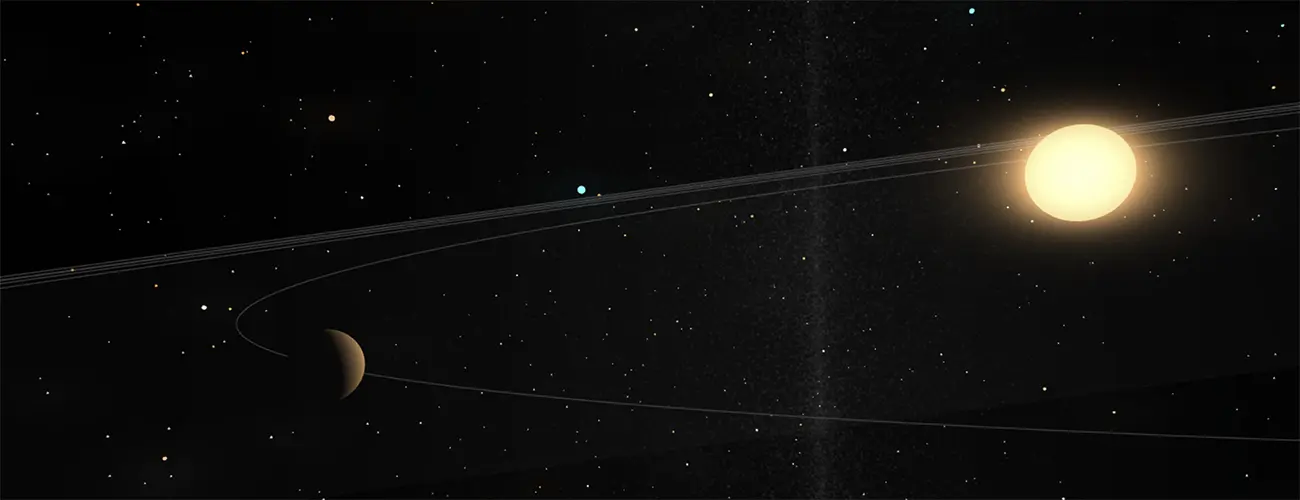
Added the following for in-system visual eye candy:
- Stars now project light
- Planets now receive light - and should cast shadows as well, although I will be able to test that with rings and moons
- Planets now have a better texture, are no longer instances (clones), in preparation of separate textures for each; to compensate, a BabylonJS LOD is used (this reduces the number of faces for faraway planets)
It does look nicer! :-)
Rendering issues
Still some problems to fix.
Even though all materials make use of the useLogarithmicDepth flag, distances are still too large are the following happens:
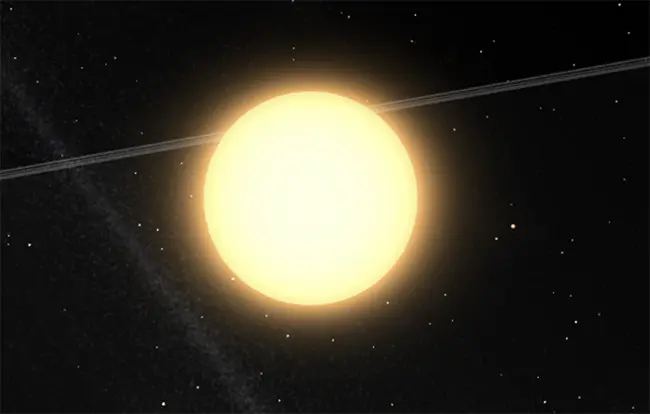
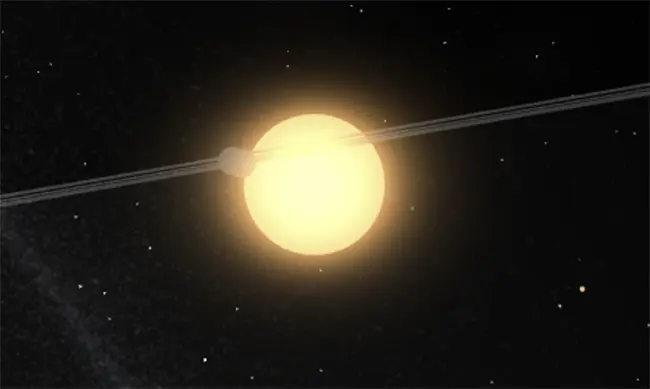
Maybe making use of renderingGroupIds would help…
This should now be fixed.
And that's it for this post - as usual, do drop me a line for any question!
Please signin to add your comment.